One app.
One lovely link.
localhost:3000preview.your-domain.com
Give your local HTTP app an HTTPS address on a domain you already own.
FOR THE THINGS YOU BUILD AT HOME
From your PC to their browser. Share a local web app
with a link, and choose who gets in.
AND THEN THE LINK LEAVES YOUR DESK
That portfolio you built on your PC?
Now it’s a page someone else can explore.
Copy a ready, public link in Homport.
Recorded app · Illustrative chat · Fictional portfolioThis example uses a public share. Private shares ask invited people to verify their email first. Your PC and local app stay running.
A SMALL APP. AN OPEN DOOR.
The prototype. The little dashboard. The thing you made this weekend.
Bring someone in without moving your app off your PC.
Give your local HTTP app an HTTPS address on a domain you already own.
Choose a private share and let Cloudflare Access check visitors with an email code.
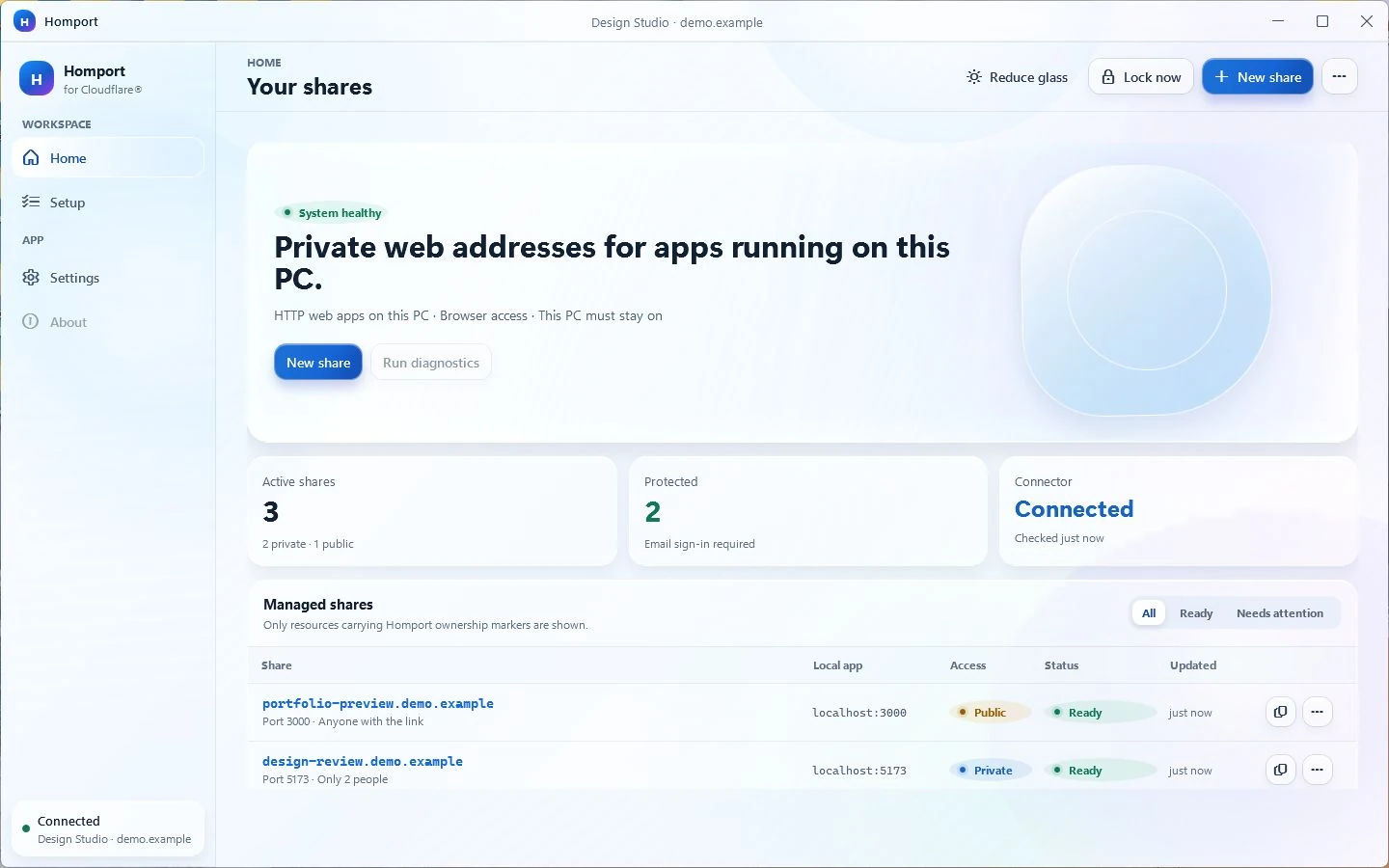
Keep an eye on your shares, manage people, or lock this PC’s connector from one place.
LESS SETUP. MORE SHOW-AND-TELL.
A clear view of what you’re sharing.
A simple way to stay in control.
Copying a ready share link. Real app recording, with synthetic data.
Adding and saving an allowed person. Real app recording, with synthetic data.
Opening share details and copying its link. Real app recording, with synthetic data.
Recorded in the real Homport app · Demo data
YOUR PC. YOUR CLOUDFLARE. THEIR BROWSER.
Sign in to Cloudflare in your browser. Choose your account and a domain you own.
Tell Homport its HTTP port, choose an address, and decide whether your link is private or public.
Once the share is ready, copy its link. For private shares, invited people sign in with an email code.
Your PC, internet connection, and local app need to stay running. Homport connects your app; it doesn’t host it.
BUILT TO STAY YOURS
Your account. Your domain. Your decisions.
Homport helps you manage the connection.
The tunnel and access settings live in the account you connect.
No app usage analytics or automatic crash uploads to us. Shared traffic still passes through Cloudflare.
A native desktop interface, a quiet place in your tray, and controls where you expect them.
A supported Windows 10 or 11 PC, an internet connection, a Cloudflare account, a domain on Cloudflare, and a compatible local HTTP web app. Private sharing also needs a Cloudflare Zero Trust organization and email one-time PIN sign-in. Homport guides the setup.
Web apps reachable over HTTP on your own PC, such as development previews and local dashboards. Some apps need their own public-hostname settings. Homport is not a general-purpose file, media, remote desktop, or arbitrary TCP sharing service.
No Homport installation is needed for visitors. They open the link in a browser. With a private share, Cloudflare asks them for an allowed email address and a one-time code before they reach your app.
Yes. You can choose public sharing. Anyone with the address can reach a public share, so only use it for content you intend to expose. Any authentication provided by your local app is separate.
Your app becomes unavailable. Keep your PC awake, connected, and your local app running while you share. Homport’s Keep awake option is subject to Windows power policies and cannot keep a switched-off PC online.
Homport is planned as a one-time purchase through Microsoft Store. The Store listing and final price are not available yet. Cloudflare and domain-provider terms and charges are separate.
View availabilityCOMING TO MICROSOFT STORE
A little less setup. A little more sharing.
Homport for Windows is on its way.
One-time purchase planned · Your Cloudflare account · Your own domain